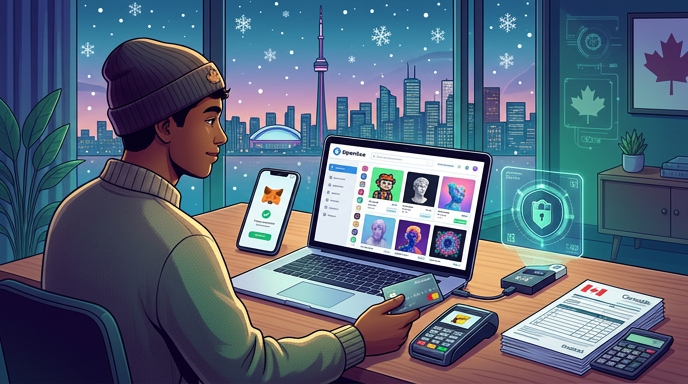
How to Buy NFTs in Canada 2026 with Interac, MetaMask, OpenSea, Self‑Custody & CRA Tax
How to Buy NFTs in Canada 2026 with Interac, MetaMask, OpenSea, Self‑Custody & CRA Tax is a practical, step-by-step guide for Canadian buyers who want to purchase NFTs the safe, cost-efficient way. This guide covers CAD on-ramps using Interac and Canadian-friendly exchanges, wallet setup with MetaMask and hardware backups, choosing marketplaces (OpenSea and L2 marketplaces), paying gas or using Polygon/Layer-2 options, and recording purchases for CRA reporting. If you are new to NFTs or moving from casual browsing to actual buying, this article gives clear workflows, fee comparisons, security checks, and tax steps specific to Canada.
Table of Contents
- Table of Contents
- What is an NFT and how they work
- Choose your CAD on‑ramp: Interac, cards, exchanges
- Wallet setup: MetaMask, hardware wallet, and safety
- MetaMask + Hardware wallet basic setup
- Marketplaces and networks: OpenSea, Polygon, Layer‑2s
- Step-by-step buying workflow (numbered)
- Fees, gas and cost-saving strategies
- Cost-saving tips
- Security checklist before you click Buy
- CRA tax rules and recordkeeping for Canadian buyers
- Pros and cons: Exchange vs direct card vs P2P purchases
- 1. Exchange (Interac e-Transfer to buy ETH then buy NFT)
- 2. Card payments via marketplace partners
- 3. Peer-to-peer or direct listings (pay seller in CAD)
- FAQ
- How do I pay gas when I buy an NFT?
- Can I buy NFTs directly with CAD without holding crypto?
- What records does CRA want for NFT transactions?
- Should I use a hardware wallet for NFTs?
- What are common NFT scams to watch for?
- Conclusion and next-step checklist
- Next-step checklist
Table of Contents
- What is an NFT and how they work
- Choose your CAD on‑ramp: Interac, cards, exchanges
- Wallet setup: MetaMask, hardware wallet, and safety
- Marketplaces and networks: OpenSea, Polygon, L2s
- Step-by-step buying workflow (numbered)
- Fees, gas and cost-saving strategies
- Security checklist before you click Buy
- CRA tax rules and recordkeeping for Canadian buyers
- Pros and cons: Exchange vs direct card vs P2P purchases
- FAQ
- Conclusion and next-step checklist
What is an NFT and how they work
NFT stands for non-fungible token: a unique token on a blockchain that proves ownership of a digital item or record. Most NFT purchases use Ethereum or Ethereum-compatible networks (Polygon, Arbitrum, Optimism). When you buy an NFT you are either executing a smart contract on-chain or transferring a token to your wallet. That means you need crypto in a self-custody wallet to receive and hold the asset, or you can use custodial marketplace services that keep the NFT on your behalf.
Choose your CAD on‑ramp: Interac, cards, exchanges
Most Canadians buy crypto first and then use that crypto to buy NFTs. Typical on‑ramps in 2026 are:
- Interac e-Transfer to a Canadian-friendly exchange (CAD to ETH or CAD to USDC).
- Debit/credit card purchases via marketplace partners (fast but more expensive and may carry chargeback risk).
- Bank transfer or e-Transfer into a regulated Canadian crypto platform and withdraw to your wallet.
For step-by-step CAD-to-crypto on-ramps and DeFi bridging into wallets, see this practical guide to the DeFi on‑ramp options in Canada. If you plan to buy Ethereum for an NFT, this article explains Interac purchases, fees, and custody choices: How to Buy Ethereum in Canada 2026.
Wallet setup: MetaMask, hardware wallet, and safety
You need a wallet to hold NFTs. MetaMask (browser/mobile) is the most common for NFTs because it connects to marketplaces. For long-term security, pair MetaMask with a hardware wallet (Ledger or other) so private keys never touch your computer.
MetaMask + Hardware wallet basic setup
- Install MetaMask extension on your browser or mobile app.
- Buy a hardware wallet from an official retailer and verify the device per vendor instructions.
- Create a new seed on the hardware device (never enter an externally-provided seed) and connect the hardware wallet to MetaMask when prompted.
- Test a small transfer to confirm wallet control before buying an NFT.
For guidance on verifying device authenticity, this deep dive is a useful companion: Protecting your hardware wallet from supply-chain attacks.
Marketplaces and networks: OpenSea, Polygon, Layer‑2s
OpenSea remains a major marketplace; many projects offer listings on Ethereum mainnet and Polygon (or other L2s). Choosing the network matters because gas and total cost differ significantly:
| Network | Typical Fees | Buyer experience |
|---|---|---|
| Ethereum mainnet | High gas at peak times | Most liquidity and primary markets |
| Polygon | Very low gas | Cheaper buys and instant trades on some marketplaces |
| Arbitrum / Optimism | Low-moderate gas | Growing marketplace support |
Step-by-step buying workflow (numbered)
Follow this workflow to buy an NFT with minimal surprises.
- Choose the NFT and verify the collection. Check official links from the project website and social channels. Confirm contract address on the listing page.
- Decide which network the NFT uses (Ethereum, Polygon, Arbitrum). If you need ETH or USDC on that network, convert CAD to the appropriate token.
- On-ramp CAD to crypto: use Interac e-Transfer to a trusted exchange, buy ETH or USDC, and withdraw to your MetaMask/hardware wallet address.
- If buying on Polygon or an L2 but you have ETH on mainnet, bridge funds using a reputable bridge or withdraw directly from the exchange to the L2 when supported.
- Connect MetaMask to the marketplace and switch to the correct network. Always ensure the site URL is correct and the connection prompt originates from the site.
- Confirm the total cost including marketplace fees, royalties, and gas. Preview the exact on-chain transaction if possible.
- Approve only the specific contract interaction and avoid blanket approvals. Revoke unnecessary approvals after purchase.
- After purchase, save the transaction hash and screenshot the receipt. Record CAD equivalent at time of purchase for tax records.
Fees, gas and cost-saving strategies
Common fee components:
- On-ramp fees (exchange deposit, trading, withdrawal)
- Network gas fees for minting or transferring
- Marketplace fees (seller fee, platform fee)
- Creator royalties (paid to the collection)
Cost-saving tips
- Use Polygon or L2-supported drops to avoid high Ethereum gas.
- Buy outside peak hours or use gas estimation tools to time your transaction.
- Batch transactions where possible (mint + list later) to reduce separate gas events.
- Compare on-ramp costs among Canadian exchanges and prefer Interac e-Transfer for lower fees.
Security checklist before you click Buy
- Confirm collection contract address with at least two official sources.
- Never paste your seed phrase or sign messages that request wallet migration.
- Use a hardware wallet for high-value purchases and long-term holdings.
- Limit token approvals to minimal amounts; use revoke tools after transactions.
- Beware of phishing domains and fake marketplace pop-ups—type the URL or use bookmarks.
CRA tax rules and recordkeeping for Canadian buyers
NFTs are property for CRA purposes. Buying, selling, trading, and receiving NFTs can create capital gains or business income depending on activity and intent. Practical recordkeeping steps:
- Record the transaction hash, date/time, wallet address, marketplace, and total CAD cost (including fees and gas) at the time of purchase.
- When you sell an NFT, record proceeds, fees, and the CAD value at sale time to calculate gain or loss.
- Keep screenshots, receipts, and export CSVs from marketplaces and wallets.
- If you mint NFTs, track mint costs and subsequent sale proceeds — the CRA may view frequent minting as business activity.
For broader CRA guidance on on‑ramping and DeFi movements that affect tax records, see this companion piece covering Canadian DeFi and reporting considerations: How to buy stablecoins in Canada. Proper records make your annual tax filing easier and reduce audit risk.
Pros and cons: Exchange vs direct card vs P2P purchases
1. Exchange (Interac e-Transfer to buy ETH then buy NFT)
- Pros: Lower fees, easier to convert CAD to specific network tokens, regulated options available.
- Cons: Withdrawal times, KYC required, possible withdrawal limits.
2. Card payments via marketplace partners
- Pros: Fast and convenient for first-time buyers.
- Cons: Higher fees, potential disputes/chargebacks, limited network control.
3. Peer-to-peer or direct listings (pay seller in CAD)
- Pros: Possible to find private deals or lower prices.
- Cons: Higher counterparty risk; escrow services needed; CRA reporting still required.
FAQ
How do I pay gas when I buy an NFT?
Gas is paid in the network token (ETH on Ethereum, MATIC on Polygon). Make sure you hold a small extra amount of the network token in your wallet to pay gas beyond the NFT price.
Can I buy NFTs directly with CAD without holding crypto?
Some marketplaces let you pay by card, but fees are higher and you may not get immediate on-chain ownership. For full custody and portability, convert CAD to crypto and buy on-chain.
What records does CRA want for NFT transactions?
Save transaction hashes, CAD equivalents at purchase and sale, receipts, and screenshots. Record fees and gas as part of your cost basis. If in doubt, consult a Canadian tax professional experienced in crypto.
Should I use a hardware wallet for NFTs?
Yes for collections of value. Use MetaMask for day-to-day interaction, and approve high-value transactions with a hardware wallet. For best practices on device authenticity, see the hardware wallet security guide linked above.
What are common NFT scams to watch for?
Fake collections, phishing marketplace copies, and malicious contract approvals. Always verify contract addresses, avoid signing unexpected messages, and use revoke tools after approval.
Conclusion and next-step checklist
Buying NFTs in Canada requires a mix of on-ramp planning, wallet security, and tax-aware recordkeeping. Use cheaper networks for lower fees, pair MetaMask with a hardware wallet for safety, and keep detailed CAD records for CRA. Below is a concise next-step checklist you can follow.
Next-step checklist
- Decide the NFT and confirm the official contract address from the project website.
- Open a Canadian-friendly exchange and fund via Interac e-Transfer or use a card if you accept fees.
- Buy ETH or the network token needed and withdraw to MetaMask/hardware wallet.
- Connect wallet to the marketplace, double-check the URL, and confirm transaction details.
- Save transaction hash, marketplace receipt, and record CAD cost for tax reporting.
- Revoke any unnecessary approvals and secure your seed/hardware wallet in a safe location.