How to Buy Solana in Canada 2026 with Interac e-Transfer — Step-by-Step, Staking, Fees, Self‑Custody & CRA Tax
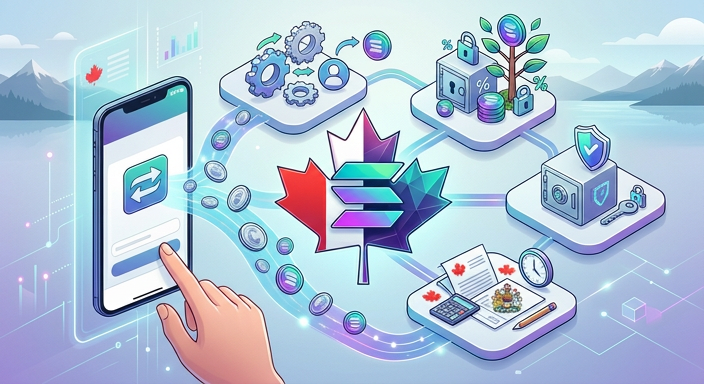
If you want to buy Solana in Canada 2026 with Interac e-Transfer and move it into self-custody or stake it for rewards, this guide gives a practical, step-by-step workflow tailored for Canadian buyers. We cover Canadian on-ramps, best practices for depositing CAD, fee expectations, how to custody SOL safely (hardware wallet options and setup), and the CRA tax considerations when you buy and stake. Read this before you fund an exchange or delegate your first SOL.
Table of Contents
- Table of Contents
- Why buy Solana in Canada?
- Quick overview: options to buy SOL with CAD
- Step-by-step: Buy Solana with Interac e-Transfer
- Step 1 — Choose a Canadian-compatible exchange
- Step 2 — Complete KYC and fund with Interac e-Transfer
- Step 3 — Buy SOL or buy a stablecoin and swap
- Step 4 — Withdraw SOL to your non-custodial wallet or hardware wallet
- Custody options and hardware wallet setup
- Hardware wallet setup steps (Ledger + Phantom example)
- How staking Solana works and step-by-step delegation
- Step-by-step staking (Phantom + Ledger)
- Fees, timing, and cost-saving tips
- CRA tax and reporting for buying and staking SOL
- Comparison: centralized vs non-custodial buying routes
- Frequently Asked Questions
- 1. Can I buy SOL directly with Interac e-Transfer?
- 2. Are staking rewards taxable in Canada?
- 3. Can I stake SOL from a hardware wallet?
- 4. How long does it take to withdraw SOL from an exchange to my wallet?
- 5. What are safe practices for choosing a validator?
- Conclusion and next steps checklist
- Next-step checklist
Table of Contents
- Why buy Solana in Canada?
- Quick overview: options to buy SOL with CAD
- Step-by-step: Buy Solana with Interac e-Transfer
- Custody options and hardware wallet setup
- How staking Solana works and step-by-step delegation
- Fees, timing, and cost-saving tips
- CRA tax and reporting for buying and staking SOL
- Comparison: centralized vs non-custodial buying routes
- Frequently Asked Questions
- Conclusion and next steps checklist
Why buy Solana in Canada?
Solana (SOL) is an Ethereum‑alternative smart contract platform known for low transaction fees and fast finality. Canadian buyers often choose SOL for lower on-chain costs when using DeFi, NFTs, or for staking rewards. If your goal is active participation in Solana DeFi or long-term holding with passive income via staking, buying SOL with CAD using Interac e-Transfer is a common, practical on-ramp.
Quick overview: options to buy SOL with CAD
- Canadian centralized exchanges that accept Interac e-Transfer deposits and offer SOL trading pairs.
- P2P platforms and over-the-counter (OTC) desks — useful for large trades to avoid slippage.
- Buy CAD → stablecoin on an exchange, then swap stablecoins for SOL on the same exchange or a DEX.
- Non-custodial on-ramps via third‑party services that accept Interac and deliver SOL directly to your wallet (less common).
Step-by-step: Buy Solana with Interac e-Transfer
Below is a practical workflow for a typical Canadian buyer who wants to fund with Interac e-Transfer, buy SOL, and move it into self-custody or stake.
Step 1 — Choose a Canadian-compatible exchange
Pick an exchange that: accepts Interac e-Transfer CAD deposits, lists SOL/CAD or SOL/stablecoin pairs, and supports withdrawals to external wallets. Examples of features to check: CAD deposit limits, KYC speed, and withdrawal minimums. If you need a lead on on-ramps and banking flows, our guide to buying Ethereum with Interac e-Transfer explains deposit workflows that apply to SOL purchases as well.
Step 2 — Complete KYC and fund with Interac e-Transfer
- Create and verify your account (KYC typically requires photo ID and proof of address).
- Initiate an Interac e-Transfer from your bank to the exchange’s designated recipient; use the exact reference details the exchange provides.
- Wait for the exchange to mark the deposit as settled — this can be minutes to a few hours depending on the exchange and bank.
Step 3 — Buy SOL or buy a stablecoin and swap
If the exchange supports SOL/CAD, place a market or limit order for SOL. If not, buy CAD-paired stablecoins (USDC/USDT) then trade those for SOL on the exchange. For buyers who want to minimise on-exchange time, buy stablecoins and swap for SOL only when ready to withdraw.
If you are unfamiliar with stablecoin on-ramps, see our stablecoins guide for CAD deposit and self-custody workflows: buying stablecoins with CAD.
Step 4 — Withdraw SOL to your non-custodial wallet or hardware wallet
- Create a Solana-compatible wallet (Phantom, Solflare, or a hardware wallet + Phantom).
- Test with a small withdrawal amount first to confirm addresses and network behavior.
- Withdraw remaining SOL to your wallet once the test succeeds.
Custody options and hardware wallet setup
Best practice: if you plan to hold meaningful SOL, use a hardware wallet for long-term storage and staking. Ledger supports Solana via a Solana app and integrates with Phantom for delegation. When buying a hardware device, follow strict verification steps to avoid counterfeit devices — our guide to verifying hardware wallet authenticity covers these checks in detail: verifying hardware wallet authenticity.
Hardware wallet setup steps (Ledger + Phantom example)
- Buy from an authorized reseller or the official site; never accept a pre-initialized device.
- Install Ledger Live and the Solana app, then create a new wallet and write down the seed phrase on durable backup media.
- Install Phantom in your browser or mobile and connect it to the Ledger Solana account.
- Perform a small incoming and outgoing transaction to confirm end-to-end control before moving large amounts.
How staking Solana works and step-by-step delegation
Solana uses a delegated proof-of-stake model. You do not lock tokens permanently; you delegate your SOL to a validator and can undelegate later. Rewards accumulate and can be claimed periodically. Staking through a non-custodial wallet like Phantom while keeping keys on a hardware wallet is a secure, common approach for Canadians.
Step-by-step staking (Phantom + Ledger)
- Open your Solana account in Phantom connected to Ledger.
- Choose a validator — check commission rates, performance history, and community trust. Avoid extremely new or unproven validators for significant amounts.
- Click Stake, enter the amount of SOL to delegate, and confirm the transaction on your Ledger device.
- Monitor rewards and validator performance. You can redelegate or unstake later if needed.
Fees, timing, and cost-saving tips
Expect the following fee categories when buying SOL in Canada:
- Interac e-Transfer deposit fees — often free from exchanges but check your bank or exchange limits.
- Trading fees — maker/taker fees on the exchange when buying SOL or swapping stablecoins for SOL.
- Withdrawal fees — exchanges may charge a small SOL network fee for on-chain withdrawals.
- Hardware wallet and staking transaction fees — tiny SOL fees for delegation transactions.
Cost-saving tips:
- Batch withdrawals: consolidate and withdraw once rather than multiple small withdrawals to save on per-withdrawal charges.
- Compare maker/taker fee tiers and use limit orders where practical.
- Confirm Interac deposit charges with your bank and the exchange before sending large amounts.
CRA tax and reporting for buying and staking SOL
Buying crypto with CAD is not a taxable event by itself if you simply exchange CAD for SOL and hold. However, CRA treats certain activities as taxable:
- Disposal events — selling SOL for CAD, trading SOL for other crypto or goods/services, or gifting can trigger capital gains or business income rules depending on intent.
- Staking rewards — CRA guidance treats earned staking rewards as income in the year received; their subsequent disposition may create capital gains or income depending on whether the CRA views your overall activity as trading or investing.
Practical filing tips for Canadian buyers:
- Keep clear records of CAD cost basis for each SOL acquisition (date, CAD amount, exchange, transaction IDs).
- Track staking rewards (value in CAD at receipt) and include them as income where applicable.
- Use a reliable crypto tax reporting tool or accountant familiar with CRA crypto guidance for 2026 filings.
Comparison: centralized vs non-custodial buying routes
| Route | Pros | Cons |
|---|---|---|
| Canadian exchange (Interac) | Fast CAD deposits, direct fiat on-ramp, high liquidity | Custodial risk until withdrawal, KYC required |
| Stablecoin route | Flexibility to move between chains, lower slippage on some pairs | Extra trade step, small additional fees |
| Non-custodial direct purchase services | Fewer custodial risks, direct to your wallet | Higher fees, limited availability |
Frequently Asked Questions
1. Can I buy SOL directly with Interac e-Transfer?
Yes, if the exchange you use offers a SOL/CAD pair. If the exchange does not list SOL/CAD, you can deposit CAD via Interac, buy a widely listed stablecoin, then trade for SOL on the same platform.
2. Are staking rewards taxable in Canada?
CRA guidance indicates staking rewards are generally taxable as income when received. Record the CAD value at receipt and consult a tax advisor for 2026 specifics based on your situation.
3. Can I stake SOL from a hardware wallet?
Yes. Ledger supports Solana and integrates with wallets like Phantom to delegate from a hardware-secured account. Always test with small amounts and verify device authenticity before using it for staking transactions.
4. How long does it take to withdraw SOL from an exchange to my wallet?
On-chain transfers on Solana are typically final in seconds to a minute. The longer delays are usually from the exchange processing withdrawal requests; expect minutes to a few hours depending on the exchange and security checks.
5. What are safe practices for choosing a validator?
Look for validators with transparent operator info, low to moderate commission, strong uptime, and positive community reputation. Avoid validators promising unusually high returns or using opaque operations.
Conclusion and next steps checklist
Buying Solana in Canada with Interac e-Transfer is straightforward if you pick the right exchange, verify deposit instructions, and move SOL to self-custody or stake via a hardware-backed wallet. Maintain clear tax records for CRA reporting and follow basic security practices.
Next-step checklist
- Choose a Canadian-friendly exchange and complete KYC.
- Fund with Interac e-Transfer and confirm deposit settlement.
- Buy SOL or buy stablecoins and swap for SOL if needed.
- Set up a Solana-compatible non-custodial wallet and, if holding significant amounts, a verified hardware wallet.
- Stake by delegating to a reputable validator if you want rewards, and record CAD values for tax purposes.
Further reading: For detailed Interac deposit workflows and CAD on-ramps common to many coins, see our Ethereum Interac guide and our stablecoins guide. If you plan to use a hardware wallet, follow supply-chain verification steps in our hardware wallet authenticity guide.